
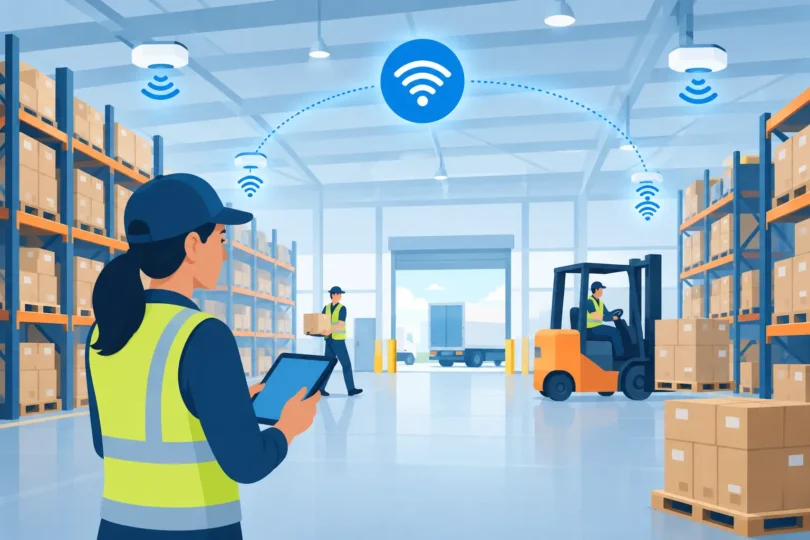

A warehouse can have fast internet at the office and still fail where it matters most: at the loading dock, between tall pallet racks, inside a refrigerated area, or at the far end of the yard. When handheld scanners disconnect, wireless cameras drop offline, and workers use personal hotspots to complete tasks, the problem is not simply “bad WiFi.” It is a facility network that was never designed for warehouse conditions. Professional warehouse WiFi solutions keep inventory, security, shipping, and daily operations connected where the work actually happens.
For Southern California warehouse operators, weak coverage creates more than frustration. It delays picks, causes missed scans, interrupts communication, and leaves security devices without a dependable connection. A properly planned system uses site-specific wireless access point placement, structured cabling, network switching, and security controls to protect uptime across the building.
Why Warehouses Break Ordinary WiFi
A consumer router may work in a small office. It is not built to cover a high-ceiling warehouse with rows of metal shelving, forklifts, machinery, concrete walls, and changing inventory. Every one of those conditions affects wireless signal behavior.
Metal pallet racks reflect and block radio signals. Water-rich products, refrigerated storage, and dense inventory can absorb them. Forklifts and stacked pallets change the environment throughout the day. The access point that looked acceptable during an empty-building walkthrough may struggle once the warehouse is fully operational.
Coverage alone is not the full issue. A network can show a strong signal on a phone while still performing poorly for barcode scanners, tablets, voice headsets, point-of-sale terminals, cameras, and warehouse management systems. These devices need stable roaming as employees move from aisle to aisle. They also need enough network capacity to communicate without long delays during busy shipping periods.
That is why a warehouse should not be planned by guessing where to mount a few access points. The wrong design creates dead zones, overloaded access points, dropped connections, and expensive repeat service calls.
Warehouse WiFi Solutions Start With a Site Survey
The best installation begins before equipment is purchased. A professional walkthrough identifies the areas that need coverage and the conditions that will interfere with it. That includes receiving and shipping zones, packing stations, offices, mezzanines, exterior gates, parking areas, break rooms, cold storage, and every aisle where staff rely on mobile devices.
A real design also considers ceiling height, rack layout, wall construction, available electrical power, existing cabling paths, and the location of the internet service handoff. If a building has multiple suites or a large outdoor yard, those areas require their own plan. Extending an indoor signal through exterior walls is rarely a dependable answer.
The goal is not to install the most access points. It is to install the right access points in the right locations, connected by properly installed cabling. More equipment does not fix poor placement, and cheap repeaters often cut performance while adding another point of failure.
Wired Backhaul Is the Foundation
Wireless access points still need a dependable connection back to the network. In a professional warehouse installation, that usually means Category cable running from each access point to a network switch. Power over Ethernet can carry both data and power through one cable, reducing the need for electrical outlets high on warehouse walls or ceilings.
A wired backhaul is especially important for access points serving scanners, office users, and IP cameras. Mesh systems can be useful in limited situations where cabling is impossible, but they depend on wireless links between access points. In a metal-heavy warehouse, those links can become the weak point. For critical operations, professionally installed structured cabling is the better long-term investment.
Coverage Must Match the Work
Not every part of a warehouse needs the same level of service. A packing area with dozens of active devices needs more capacity than a rarely used storage aisle. A surveillance camera near a gate needs a dependable connection, but its traffic pattern differs from a worker using a scanner while moving through the building.
This is why access point selection and placement depend on the facility. Ceiling-mounted units may be appropriate for open areas. Directional antennas can help reach long aisles or specific outdoor zones. Ruggedized equipment may be necessary in dusty, hot, cold, or humid environments. The correct choice depends on real conditions, not a generic online coverage chart.
Separate Business Traffic From Security Devices
Warehouse networks often support far more than employee phones. They may carry 4K security cameras, NVR access, door access control, intercoms, alarm components, smart gates, office computers, guest WiFi, and inventory systems. Putting all of that traffic onto one open network is an unnecessary risk.
Network segmentation separates devices into controlled groups. Cameras can operate on their own network segment, while office computers, scanners, and guest devices receive different access permissions. If a visitor joins the guest network, that visitor should not be able to discover cameras, access control panels, or company files.
Strong passwords, encrypted wireless settings, controlled administrator access, and updated network hardware also matter. A warehouse network is part of the property’s security infrastructure. Leaving it open or using outdated equipment can expose operations to unauthorized access, disruptions, and avoidable downtime.
Plan for Cameras, Access Control, and Expansion
A weak network can compromise a surveillance system even when the cameras themselves are high quality. If wireless cameras are used where a wired connection is possible, unreliable signal can lead to delayed video, missing footage, or cameras dropping offline at the worst moment. For critical views such as loading docks, entrances, cash areas, and vehicle gates, hardwired cameras are usually the decisive choice.
The same principle applies to door access control and gate systems. These devices need stable communication and dependable power. When security and connectivity are installed together, cable pathways, network capacity, and equipment locations can be planned as one system instead of patched together over time.
It also pays to think ahead. A warehouse that needs 12 cameras and six access points today may need more cameras, additional office workstations, or expanded yard coverage next year. Installing properly sized network switches, organized equipment racks, labeled cabling, and room for expansion prevents a costly rebuild later.
Warning Signs Your Warehouse Network Needs Attention
A few dropped calls are one thing. Recurring operational problems are another. Take action if scanners regularly lose connection, staff report the same dead zones, cameras go offline, video playback stutters, or employees cannot connect near loading docks and exterior doors.
Other warning signs include unmanaged cables, consumer-grade routers mounted in random locations, multiple WiFi names created over the years, and employees sharing the same password as visitors. These are signs that the network has grown without a clear design or security standard.
Do not wait for a theft incident, a missed shipment, or a full network outage to discover the weakness. Connectivity problems become expensive when they interrupt labor, shipping, customer service, or evidence collection.
Get a Warehouse Network Built for Real Conditions
A warehouse WiFi project should be designed around how your team moves, scans, ships, monitors, and protects the property. It should account for interference, device count, future growth, camera bandwidth, access control, and the physical realities of your building.
LA Security Cameras has completed over 8,000 projects and understands that security cameras, structured cabling, wireless access points, and access control work best when they are planned together. A free estimate and on-site consultation can identify weak coverage areas before they become operational failures.
Your warehouse should not lose productivity because a scanner reaches the wrong aisle or a camera loses connection near a loading dock. Build the network before the next busy shift puts its limits on display.