
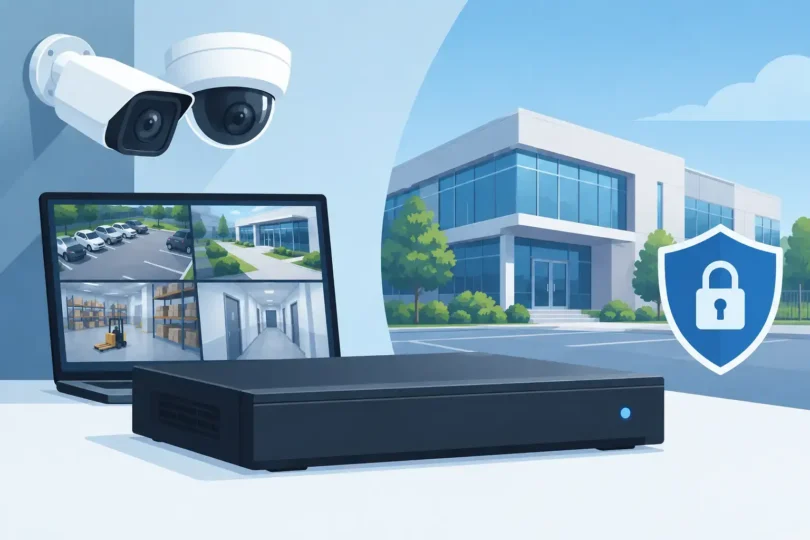

A camera that captures a crime but fails to record it is not protecting your property. The recorder is where surveillance becomes usable evidence: the footage your manager reviews after a break-in, the clip police request, or the proof that settles a liability claim. That is why network video recorders deserve just as much attention as the cameras mounted around your building.
For Southern California businesses, warehouses, multifamily properties, construction yards, and homes, recording reliability is NOT a small technical detail. A professionally designed system needs the right cameras, wired network infrastructure, recording capacity, and secure remote access working together. One weak link can leave you with missing footage at the exact moment you need it.
What Network Video Recorders Actually Do
A network video recorder, commonly called an NVR, receives video from IP security cameras and stores it on local hard drives. Unlike an older DVR system that is usually tied to analog cameras, an NVR works with cameras connected through your network. In a professionally wired installation, those cameras are commonly powered and connected through Ethernet cabling, often using Power over Ethernet, or PoE.
That wired connection matters. It provides a dependable path from the camera to the recorder without relying on a consumer Wi-Fi signal that can weaken across concrete walls, metal racks, parking areas, or large commercial buildings. It also gives installers more control over camera placement, bandwidth, and long-term serviceability.
The NVR is more than a storage box. It manages recording schedules, motion events, user permissions, playback, camera health alerts, and remote viewing. The right unit can help a property owner quickly locate an event by time, camera, or intelligent detection category rather than searching through hours of video.
Cloud storage has a role in some systems, especially for off-site backup or a small number of cameras. But cloud-only recording can create recurring costs and depends heavily on consistent internet service. For properties that need multiple high-resolution cameras recording around the clock, local NVR storage is usually the practical foundation. The best approach may combine an on-site recorder with selected off-site backup for critical cameras.
Why Recording Capacity Is a Security Decision
Too many properties have cameras but only a few days of usable video history. That creates a serious problem. Incidents are not always discovered immediately. A missing shipment, vandalized perimeter fence, employee dispute, or unauthorized after-hours entry may not be reported until days later.
Storage capacity determines how long footage remains available before the system records over it. Higher resolution cameras create clearer evidence, but they also consume more storage. A 4K camera can capture faces, clothing details, vehicle markings, and activity farther from the camera than a low-resolution model. It can also require significantly more hard-drive capacity than a basic 1080p camera.
Retention time depends on several factors: the number of cameras, their resolution, frame rate, compression settings, hours of continuous recording, motion activity, and hard-drive size. There is no honest one-size-fits-all answer. A quiet office with cameras recording on motion has different needs than a loading dock, cannabis facility, apartment complex, or industrial yard recording activity 24 hours a day.
A professional site assessment should start with the question that matters: how many days of footage do you need to protect your operation? From there, the system can be sized correctly instead of guessing and hoping there is enough space.
Choosing Network Video Recorders for Your Property
The best network video recorders are selected around the property and its risks, not around a sale-price package. A small home may need an eight-channel NVR with room for future cameras. A retail location, warehouse, or multi-building facility may require 16, 32, or more channels, along with higher storage capacity and managed network equipment.
Choose More Camera Channels Than You Need Today
Do not fill every available channel on day one if expansion is likely. A property owner may start with entrances, cash-handling areas, driveways, and perimeter gates, then later add coverage for a new parking area, warehouse aisle, or tenant-access door. Selecting a recorder with available channels is often far less expensive than replacing the entire recording platform later.
Channel count alone is not enough. The NVR must also support the resolution and total incoming bandwidth of your cameras. A recorder may advertise support for many cameras, but heavy 4K recording across every channel can exceed its processing or bandwidth limits. This is where technical planning prevents dropped frames, poor playback, and recording gaps.
Use Surveillance-Grade Hard Drives
The hard drive inside an NVR works far harder than the drive inside a typical office computer. It may write video continuously from multiple cameras, day and night. Consumer drives are not designed for that workload.
Surveillance-grade hard drives are built for continuous video writing and should be selected based on the number of cameras and required retention period. Larger systems may also benefit from multiple drives or redundancy options. Redundancy does not eliminate every risk, but it can reduce the chance that a single hardware failure wipes out valuable evidence.
Protect the Recorder and the Network
An NVR should be installed in a secure location, not sitting openly beneath a reception desk or in an unlocked electrical room. If someone can steal or damage the recorder, they may take the evidence with them. For many commercial sites, a locked equipment rack or secured network closet is the right answer.
Cybersecurity also matters. Default passwords, exposed remote access, outdated firmware, and poorly separated networks can create unnecessary risk. A properly installed camera system should use strong credentials, controlled user access, secure remote viewing methods, and a network design appropriate for the property. Cameras should support your security plan, not become another door into your business.
Camera Placement Still Determines the Evidence
Even the best NVR cannot fix a badly placed camera. If a camera is too high, too wide, pointed into glare, or aimed across a dark parking lot without enough lighting, the recording may show that something happened without clearly identifying who did it.
This is why camera and recorder decisions must be made together. A 4MP camera may be the right choice for broad coverage inside a lobby. An 8MP or 4K camera may be better at a key entrance, gate, cash area, or vehicle approach where facial detail or license plates matter. In some cases, a tighter field of view provides better identification than one ultra-wide camera trying to cover everything.
Professional placement also considers real conditions: sun exposure, overnight lighting, trees, truck traffic, reflective glass, ceiling height, and the routes people actually use to enter and leave. Blind spots are not theoretical. They become the places where theft, dumping, trespassing, and unauthorized access happen.
When It Is Time to Replace an Aging Recorder
Frequent system errors, noisy or failed hard drives, missing dates, slow playback, unsupported cameras, and unreliable remote viewing are all warning signs. So is a system that records only low-resolution video when your property now needs clearer identification.
Replacement may also make sense when you are expanding into access control, intercoms, wireless access points, or structured cabling improvements. Security and connectivity should not be treated as separate projects when they rely on the same infrastructure. Planning them together can reduce disruption and produce a cleaner, more dependable installation.
LA Security Cameras has completed more than 8,000 projects across Southern California because we assess the full property, not just the camera count. We design professionally wired surveillance systems with strategic camera placement, practical storage planning, and recording equipment built for real security demands.
Your NVR should quietly do its job every day, recording clear footage until the moment that footage matters most. If you are unsure whether your current recorder has enough storage, capacity, or protection, request a free estimate and get answers before an incident exposes the weakness.