
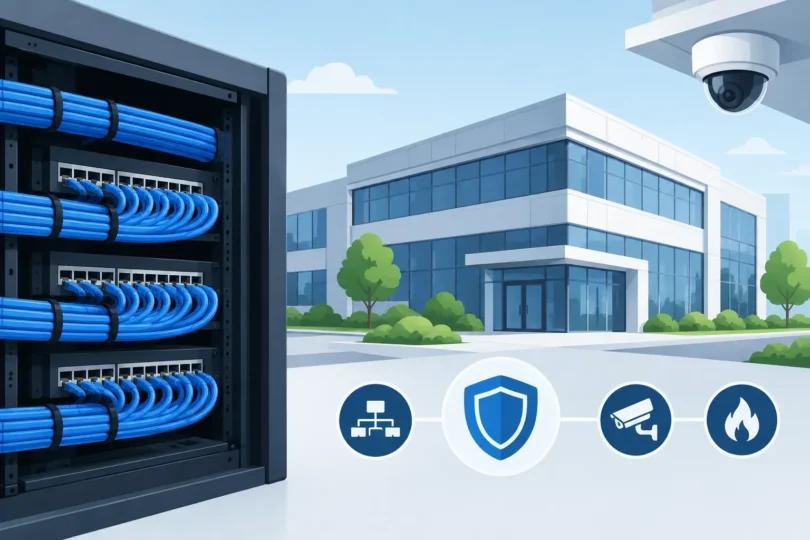

A camera can only record as reliably as the cable, network, and power behind it. That is why this structured cabling guide matters to Los Angeles business owners, property managers, warehouse operators, and homeowners: the wiring installed behind walls, above ceilings, and across a property determines whether your security and connectivity systems work when an incident happens.
Cheap patchwork wiring creates expensive problems. Cameras drop offline. Wi-Fi weakens at the far end of a warehouse. Access control doors fail to communicate. A new office addition requires exposed cables or another round of demolition. Professional structured cabling gives every low-voltage system an organized foundation built for the real demands of your property.
What Structured Cabling Actually Means
Structured cabling is an organized, standards-based approach to low-voltage wiring. Instead of running a separate, improvised cable path every time you add a camera, computer, wireless access point, or door controller, the property uses a planned cable infrastructure with labeled runs, proper pathways, centralized equipment, and room to expand.
For a commercial building, that usually means horizontal cable runs from work areas, camera locations, wireless access points, and access control hardware back to a telecommunications room or network rack. Backbone cabling connects key areas between floors, buildings, or distant sections of a large site. Patch panels, switches, power protection, and cable management keep the system accessible rather than turning the rack into a troubleshooting nightmare.
The goal is simple: each connection should be identifiable, serviceable, and capable of supporting the equipment you need now and the equipment you may need later. This matters just as much in a retail store or medical office as it does in a warehouse, apartment complex, or custom home.
Why Wiring Is a Security Decision
Security systems are often treated as separate from the network. In the field, they are connected. IP cameras, network video recorders, video intercoms, GSM entry systems, access control panels, alarm components, and remote monitoring all depend on dependable low-voltage infrastructure.
A professionally wired camera can receive power and transmit high-resolution video through one Ethernet cable using Power over Ethernet, commonly called PoE. That creates a cleaner installation and avoids relying on nearby electrical outlets. More importantly, it supports consistent video transmission. An 8MP or 4K camera is not much help if poor cable quality, excessive cable distance, bad terminations, or an overloaded network prevents it from delivering usable footage.
When police need evidence after a break-in, theft, vehicle impact, or employee dispute, “almost working” is not a standard. Clear footage, dependable recording, and the ability to locate the correct camera feed are what matter. Structured cabling helps make those outcomes possible.
The Right Cable Depends on the Job
There is no single cable that fits every Southern California property. The right choice depends on distance, bandwidth needs, electrical interference, environment, building construction, and future plans.
Cat6 cable is a strong choice for many modern camera, network, and wireless access point installations. It supports Gigabit networking and offers more headroom than older cabling for many common runs. Cat6A may make sense when a property needs higher performance over longer distances, expects 10 Gigabit networking, or wants extra capacity for future upgrades. It costs more and can be less forgiving to install, so it should be selected for a reason, not just because it sounds better.
Fiber optic cabling is often the better answer for long runs between buildings, across large industrial sites, or in electrically noisy areas. Fiber supports greater distances and is not affected by electromagnetic interference the way copper cabling can be. For example, a warehouse with a separate office, a gated commercial lot, or a multi-building apartment property may benefit from fiber backbone connections instead of trying to push copper beyond its practical limits.
Outdoor and harsh-location cabling also requires attention. Sun exposure, moisture, conduit conditions, heat, rodents, and physical damage can shorten the life of the wrong cable. A cable route that looks acceptable on installation day can become a failure point after years of Southern California weather and daily operations.
A Structured Cabling Guide to Planning the Layout
Good installation begins before the first cable is pulled. The first question is not, “Where can we put a camera?” It is, “What does this property need to protect, operate, and document?”
Start with critical coverage areas. For a business, that may include entrances, cash-handling areas, loading docks, employee exits, inventory rooms, parking lots, gates, and perimeter access points. For a home, priority locations often include driveway approaches, side yards, front and rear doors, detached garages, and areas where packages or vehicles are exposed.
Then identify where network equipment will live. A rack or structured wiring enclosure should be secure, ventilated, accessible for service, and protected from casual interference. Placing the network video recorder, PoE switches, router, and patch panels in a hot storage closet with no organization is an invitation to outages and difficult repairs.
Cable pathways deserve the same attention. Technicians need to account for ceiling spaces, conduits, fire-rated penetrations, utility conflicts, and routes that protect cable from physical damage. Cables should be labeled at both ends and documented. When a camera needs service two years later, the technician should not have to trace random wires through a ceiling to find its connection.
Do Not Design for Today Only
The most common cabling mistake is installing exactly enough drops for current equipment. That approach feels less expensive until the property changes. A growing office adds employees. A warehouse needs cameras over new inventory racks. A homeowner adds a gate intercom, outdoor Wi-Fi, or additional cameras after a security incident.
Extra capacity does not mean installing unnecessary equipment. It means planning logical spare pathways, rack space, switch capacity, and cable runs where future expansion is likely. Pulling an extra cable while walls are open or technicians are already working above a ceiling is far less disruptive than reopening finished areas later.
This is especially relevant for properties that combine systems. One organized infrastructure can support surveillance cameras, wireless access points, computers, access control, intercoms, alarm devices, and smart automation. The equipment may change over time. Quality cabling gives you options.
Common Problems We See With Improvised Wiring
Poor cabling rarely announces itself immediately. It often appears as intermittent camera loss, slow network speeds, unstable Wi-Fi, recording gaps, or a door access system that works inconsistently. These are the issues that consume time and create frustration because the root cause is hidden.
Common warning signs include unlabeled cables, exposed wire runs, connectors crimped without proper testing, network gear piled on shelves, cameras sharing inadequate power sources, and cable routes run too close to electrical lines. Another frequent problem is using consumer-grade wireless connections where a wired connection is possible. Wireless has a place, especially where cabling is truly impractical, but it should not be the default for mission-critical cameras or network infrastructure.
A wired camera system is usually the decisive choice for consistent performance, dependable recording, and higher confidence during a real incident. Wireless equipment can be affected by distance, building materials, interference, network congestion, and configuration errors. A professional site assessment determines where each approach makes sense.
Installation Quality Is More Than Pulling Cable
Professional structured cabling installation includes correct cable selection, careful routing, proper terminations, labeling, testing, and clean equipment organization. It also means respecting building conditions and making decisions that protect the system after the installers leave.
Testing is essential. A cable can look fine while failing to support the speed or PoE performance required by connected equipment. Every run should be tested so problems are found before cameras, access control devices, and network hardware are put into service. The final work should leave the property easier to manage, not dependent on one person remembering which mystery cable goes where.
At LA Security Cameras, our local team has completed over 8,000 projects and earned over 500 FIVE-star reviews by treating infrastructure as part of the protection plan. We evaluate the property, recommend practical cable and equipment options, and build systems around actual coverage, connectivity, and operational needs.
Get the Foundation Right Before You Need the Footage
A well-planned cabling system is not the most visible part of your security investment. It is the part that allows cameras to capture clear evidence, doors to stay controlled, employees to stay connected, and future upgrades to happen without chaos. Request a free estimate before aging wiring, weak Wi-Fi, or an avoidable blind spot becomes the problem you have to explain after the fact.